

Shipping & Handling

How To Activate Your eSIM

Countries Covered

What countries your SIM works in

About Your SIM

SIM Features

YOUR SECRET 🤫
KING SIMS APP CODE 🎁

king-sims-experience

Copy your secret 20% off King Sims app code down below. Apply it in your cart or checkout

QR Code
Activation Guide

Step-1-iPhone-QR-code-2x

Open your 'Cellular' or 'Mobile Data' settings.

Tap 👆 "Add eSIM"

QR Code
Activation Guide

Step-2-iPhone-QR-Code-Activation-Guide

You'll be directed to a screen with multiple activation options.
For QR code activation, select the option: "Use QR code"

QR Code
Activation Guide

Step-3-iPhone-QR-Code-Activation-Guide

Position your phone's camera on the QR code we emailed you and found in the King Sims App.

💡King Tip: Travelling with a friend? Simply send your QR code to a friend and scan it off their phone!

QR Code
Activation Guide

Step-4-iPhone-QR-Code-Activation-Guide

Wait a moment for the eSIM to detect the local network.

Once successful, you'll get a message saying:
"Your new eSIM is ready to activate"

👆Tap Continue

QR Code
Activation Guide

Step-5-iPhone-QR-Code-Activation-Guide

Data Only eSIMs:
If your eSIM comes only with data
👆Tap "Data Only"

eSIMs with Calls & Texts:
If your eSIM comes with calls & texts like our other eSIM ranges
👆Tap "Voice and Data"

QR Code
Activation Guide

Step-6-iPhone-QR-Code-Activation-Guide

Wait a moment ⏳
Once you see this notice pop-up, it means your activation has successfully completed.

Last Step:
Once you see this notification, we need to name and finalise your eSIM setup.
👆Tap "Done" When your ready.

QR Code
Activation Guide

Step-7-iPhone-QR-Code-Activation-Guide

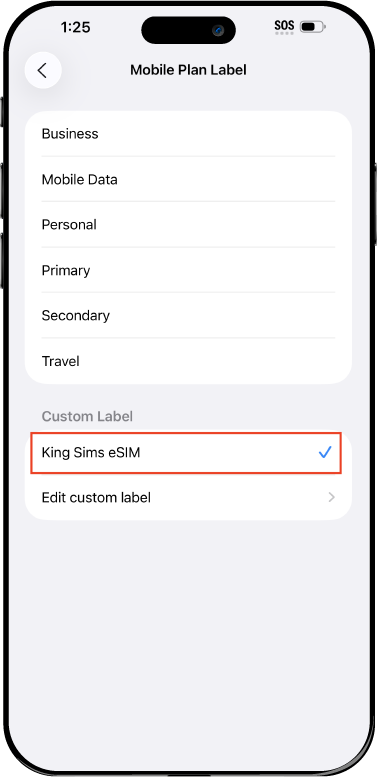
Name Your eSIM ✍️
Once you pass the last step, look for your newly activated eSIM and tap its "Name".

Mobile Plan Label:
Select "Custom Label"
Name it: "King Sims eSIM"

QR Code
Activation Guide

Step-8-iPhone-QR-Code-Activation-Guide

Final Step 👑
Turn on your line ✅

Turn Data Roaming to 'ON'
look for the option titled "Data Roaming"
then Tap 👆the option to turn it 'ON'

For Local eSIM plans with a mobile number, this step is not necessary.

You're Ready To Go 🎉

Step-9-iPhone-QR-Code-Activation-Guide

Welcome to the Kingdom 👑
Once you see the 4G or 5G symbol, test your mobile data.

Once your mobile data starts working without Wi-Fi it means your eSIM has successfully activated

Now you can start travelling with freedom
like a King 🤴 or 👸Queen.

✅ Step 1: Activate Your SIM Card

king-sims-experience.
📅 Add Your Arrival Date:
At checkout, let us know when you're landing in your destination — whether it's 🇺🇸 USA, 🇨🇦 Canada, or 🇲🇽 Mexico. We’ll schedule your SIM for seamless activation.
👑 Have King Sims Ready:
Make sure you have your King Sims packaging ready. It has all you need to get set up.
📲 Swap Your SIM cards:
Once you land, just pop the King Sims card into your phone. Use the "King Pin" in your packaging to swap your SIMs.
🔁 Restart Your Phone:
Give your device a quick restart to kickstart the activation magic.
📩 Get the Welcome Message: Depending on our partnered mobile network and which SIM card you ordered. You’ll get a welcome SMS from the Network with your brand new mobile number — you're officially connected! 🎉
💬 Need Help?
If you see SOS only or no signal, reach out via Live Chat — our support team can sort it in under 5 minutes. 👑
💡 King Tip:
If your King SIM works across multiple countries, don’t forget to turn Data Roaming ON to stay connected in every destination it covers. 🌍📶

Does My Device Have eSIM?

👑 King Tip: If your device isn't listed here simply search google with your phone model to find out if it is 💡

  • iPhone XS
  • iPhone XS Max
  • iPhone 11
  • iPhone 11 Pro
  • iPhone 11 Pro Max
  • iPhone SE (2020)
  • iPhone 12 Mini
  • iPhone 12
  • iPhone 12 Pro
  • iPhone 12 Pro Max
  • iPhone 13 mini
  • iPhone 13
  • iPhone 13 Pro
  • iPhone 13 Pro Max
  • iPhone SE (2022)
  • iPhone 14
  • iPhone 14 Plus
  • iPhone 14 Pro
  • iPhone 14 Pro Max
  • iPhone 15
  • iPhone 15 Plus
  • iPhone 15 Pro
  • iPhone 15 Pro Max
  • iPhone 16 (All Models)
  • iPad Pro (2018 and onwards)
  • iPad Air
  • iPad
  • Watch series 3
  • Watch series 4
  • Watch series 5
  • Watch series 6
  • Watch SE
  • Galaxy Z Flip
  • Galaxy Z Flip 5G
  • Galaxy Z Flip3 5G
  • Galaxy Z Flip4
  • Galaxy Z Flip5
  • Galaxy Fold
  • Galaxy Z Fold2 5G
  • Galaxy Z Fold3 5G
  • Galaxy Z Fold4
  • Galaxy Z Fold5 5G
  • Galaxy S20
  • Galaxy S21
  • Galaxy S21+ 5G
  • Galaxy S21 Ultra 5G
  • Galaxy S22
  • Galaxy S22+
  • Galaxy S22 Ultra
  • Galaxy Note 20 Ultra 5G
  • Galaxy Note 20
  • Galaxy S23
  • Galaxy S23+
  • Galaxy S23 Ultra
  • Galaxy S24
  • Galaxy S24+
  • Galaxy S24 Ultra
  • Galaxy S20 Ultra 5G
  • Gemini PDA
  • Pixel 3
  • Pixel 3a
  • Pixel 4
  • Pixel 4a
  • Pixel 5
  • Pixel 6
  • Pixel 6a
  • Pixel 6 Pro
  • Pixel 7
  • Pixel 7 Pro
  • Pixel 8
  • Pixel 8 Pro
  • P40
  • P40 Pro (not including the P40 Pro +)
  • Mate 40 Pro
  • Razr 2019
  • Razr 5G
  • Motorola Razr 40
  • Motorola Razr 40 Ultra
  • Razr+
  • Edge+
  • Edge 40
  • Edge 40 Pro
  • Edge 40 Neo
  • G52J 5G
  • G52J 5G Ⅱ
  • G53J 5G
  • Find X3 Pro
  • Reno 5 A
  • Find X5
  • Find X5 Pro
  • Reno6 Pro 5G
  • A55s 5G
  • Rakuten Mini
  • Big-S
  • Big
  • Hand
  • Hand 5G
  • Xperia 10 III Lite
  • Xperia 10 IV
  • Xperia 10V
  • Xperia Xperia 1 IV
  • Xperia 5 IV
  • Xperia 1 V
  • Xperia Ace III
  • Xperia 5 V
  • Honor
  • Magic 4 Pro
  • AQUOS Sense6s
  • AQUOS wish
  • AQUOS sense4 lite
  • AQUOS sense 7
  • AQUOS sense 7plus
  • AQUOS wish 2 SHG08
  • AQUOS wish3
  • AQUOS zero 6
  • Simple Sumaho6
  • AQUOS R7
  • AQUOS R8
  • AQUOS R8 Pro
  • V30
  • 12T Pro
  • 13
  • 13 Lite
  • 13 Pro
  • 13T Pro 
  • Honor Magic 4 Pro
  • Honor Magic 5 Pro
  • Honor 90
  • Honor X8
  • Oneplus Open
  • Oneplus 11
  • Oneplus 12 
  • Nokia XR21
  • Nokia X30
  • Nokia G60 5G
  • HAMMER Blade 3
  • HAMMER Explorer PRO
  • HAMMER Blade 5G
  • Vivo X90 Pro
  • Vivo V29 Lite 5G (Europe Only)

Sawadee Krap, Connectivity: The King’s Guide to Thailand Travel SIMs

You know that moment when the plane lands and everyone stands up like it’s a Taylor Swift concert?
Yeah — that’s when reality hits:

You need internet. Now! 🚨

Maps won’t load.
Grab won’t open.
Your mom already thinks you’re lost.
And Suvarnabhumi Airport?
A full-blown Hunger Games arena of SIM card chaos.

Meanwhile… the Royally Prepared Traveler?
Their phone connects instantly, they breeze past the lines, and they glide into Thailand like they own beachfront property in Phuket. 😉

Welcome to the King Sims Kingdom, where the goal is simple:

👉 Travel like a King. Pay like a pauper. Avoid the Roaming Racket.

Let’s fix your trip before it even starts. 👏

 Suvarnabhumi Airport: Where Jet Lag Meets Chaos 😵‍💫✈️

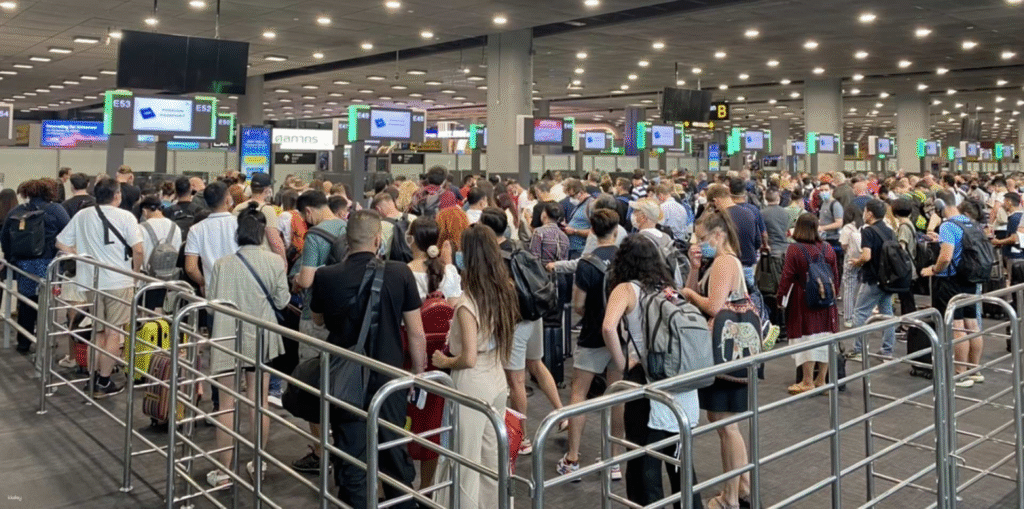
Busy arrivals area at Bangkok Suvarnabhumi Airport with travelers queuing

The airport is amazing until you reach the arrivals level.

Expectation: Zen temple vibes.
Reality: “Mortal Kombat: SIM Card Edition.” 🥋🔥

Those shiny AIS, DTAC, and TrueMove kiosks look official — but the lines?
Absolutely lawless.

📊 Real Stat: Suvarnabhumi sees 65M+ passengers/year, and during peak times?
SIM queues hit 45–60 minutes. ⏳😩

Here’s the madness:

  • Tourists arguing with vendors 🥲
  • Staff upselling like they’re on commission steroids 📈
  • Confusing plan boards that look like algebra homework 📚
  • Wi-Fi that collapses under pressure ☠️

All you wanted was a simple Thailand travel SIM…
Instead you’re fighting for survival.

👑 King Tip:
If you can smell a pretzel stand before you find a signal, you waited too long.

Skip the Chaos: Buy Before You Fly ✈️📲 (By Royal Command)
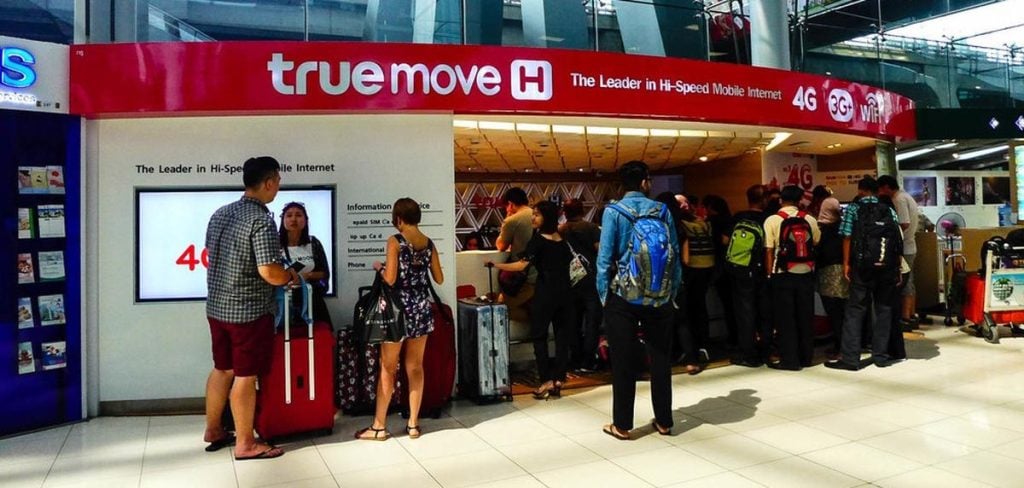
Long lines at Suvarnabhumi Airport SIM card kiosks in Bangkok

The Kingdom lives by a sacred rule:

👑 The Buy Before You Fly Law

Because when you install your eSIM before takeoff:
You. Land. Connected. Instantly. ⚡

Your phone lights up like a Christmas tree.
While everyone else is panic-sweating in line, you’re already ordering a Grab.

With King Sims, your Thailand travel SIM activates the moment your wheels touch the runway.

Here’s the royal experience:

  • No lines 🚫
  • No scams 🚫
  • No passport scans 📵
  • No SIM swapping 🛑🧷
  • No roaming fees 💸🔥

Internal Link:
👉 Order your Thailand Travel SIM:
https://kingsims.com/product/thailand-travel-sim/

👑 King Tip:
Install it on Wi-Fi before leaving home. The airport is chaos. Your hotel Wi-Fi might be worse.

Street SIM Stalls: The “Nope” Experience 😬🚫

Bangkok’s streets are iconic… But the tourist SIM stalls? Not so much.

You’ll find them around:

  • Khao San Road
  • Nana
  • Patong
  • Silom
  • Phuket Beach areas

And they offer “SPECIAL PRICE” deals that are usually:

🚫 Overpriced
🚫 Expired
🚫 Pre-used SIMs 

🚫 Wrong-number registration
🚫 No support
🚫 Vendors who “take your phone to install it” (run.) 🏃💨

It’s giving: ✨Scam Spirit with Street Food Aesthetic👑

King Tip:
If the stall also sells sunglasses, knockoff Crocs, and laser pointers — keep walking.

Choose Royalty: King Sims Thailand Travel SIM 👑🇹🇭

Traveler using 5G Thailand travel SIM while relaxing on Phuket beach

✔ Thailand Travel SIM (Dtac Thailand)

50GB of 5G Data + 100 Minutes of Calls

This isn’t some “data-only budget SIM.”
This is premium travel connectivity, fit for royalty.

Here’s what you get:

  • 50GB of 5G high-speed data
  • 📞 100 minutes of local calls (rare!)
  • 📡 Hotspot/tethering support
  • 📲 Instant activation via King Sims App (iOS + Android)
  • 📍 Real Thai number for hotel + driver bookings
  • 💼 No SIM-swapping or paperclip surgery
  • 🔒 Money-Back Guarantee
  • 🌍 DTAC network coverage nationwide

Internal Link:
👉 Grab your Thailand travel SIM here:
https://kingsims.com/product/thailand-travel-sim/

👑 King Tip:
Real call minutes are a MUST in Thailand — hotels, drivers, tour operators all use voice calls.

Airport SIM vs. King Sims eSIM ⚔️ The Royal Rumble

❌ Airport SIM Booths

  • Long lines 😭
  • Tourist pricing 💸
  • No calls on most plans
  • Passport required
  • Physical SIM swap
  • “Surprise fees” ✨
  • No refunds
  • Vendor rush installs

👑 King Sims Thailand Travel SIM (eSIM)

  • Instant activation ⚡
  • 50GB 5G
  • 100 call minutes
  • Money-Back Guarantee 💰
  • No airport chaos
  • No passport
  • Real Thai number
  • Trusted DTAC network
  • Royal support team

Clear winner?
📣 The King, every time.

The King Sims App: Your Pocket Palace 📱👑

The app is your royal command center:

  • Activate eSIM instantly ⚡
  • Track usage 📊
  • Access support 24/7 👨‍💻
  • Manage future trips 🌍
  • Store QR codes conveniently

Available on:

📱 iOS
📱 Android


“POV: You’re activating your eSIM while everyone else is still in line Googling ‘dtac plans 2025.’”

 Defeating the Roaming Racket 💸🔥

Your home carrier charges $10/day for roaming.
14-day trip? That’s $140 down the royal drain.

For what?
Slow speeds.
Random dead zones.
Or the infamous “Welcome to Thailand! Tap for $10/day.” notification.

King Sims exists to end this villainy.

We slay roaming.
We mock roaming.
We banish roaming from the Kingdom.

👑 King Tip:
If your carrier says “Welcome abroad!” — that’s code for “Pay us.”

Your New Royal Arrival in Thailand 🛬✨

Bangkok skyline at sunset, perfect connected travel with Thailand travel SIM

Let’s rewrite your landing scene.

Old Way:
No service.
Line for 45 minutes.
Jet-lagged chaos.
Confusing plans.
No Grab.
No translations.
Pure regret.

👑 Royal Way:
Phone connects instantly 📶
Grab booked before the seatbelt clicks 🍹
Google Maps ready 🗺️
Hotel chat open 💬
Thai food recommendations loaded 🍜
You walk past stressed tourists like the protagonist in a K-drama 🌟

👑 King Tip:
If you’re connected before reaching immigration, you’re already royalty.

Join the Royal Class 👑

Thailand is too legendary to waste on airport lines or sketchy SIM stalls.

Choose the Thailand travel SIM that actually works.
Install it before you fly.
Land connected.
Rule your trip.

And when you join the Kingdom?🎉

Get 15% off your first order when you sign up.
Your throne awaits, traveler.
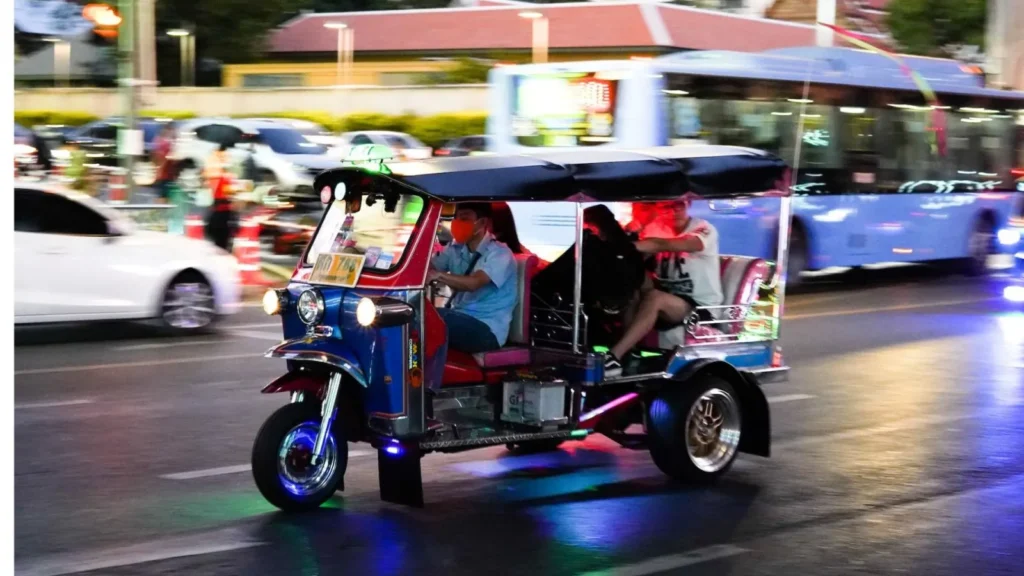
Traveler using eSIM on phone while riding a tuk tuk in Bangkok
0