


Shipping & Handling

How To Activate Your eSIM

Countries Covered

What countries your SIM works in

About Your SIM

SIM Features

YOUR SECRET 🤫
KING SIMS APP CODE 🎁

king-sims-experience

Copy your secret 20% off King Sims app code down below. Apply it in your cart or checkout

QR Code
Activation Guide

Step-1-iPhone-QR-code-2x

Open your 'Cellular' or 'Mobile Data' settings.

Tap 👆 "Add eSIM"

QR Code
Activation Guide

Step-2-iPhone-QR-Code-Activation-Guide

You'll be directed to a screen with multiple activation options.
For QR code activation, select the option: "Use QR code"

QR Code
Activation Guide

Step-3-iPhone-QR-Code-Activation-Guide

Position your phone's camera on the QR code we emailed you and found in the King Sims App.

💡King Tip: Travelling with a friend? Simply send your QR code to a friend and scan it off their phone!

QR Code
Activation Guide

Step-4-iPhone-QR-Code-Activation-Guide

Wait a moment for the eSIM to detect the local network.

Once successful, you'll get a message saying:
"Your new eSIM is ready to activate"

👆Tap Continue

QR Code
Activation Guide

Step-5-iPhone-QR-Code-Activation-Guide

Data Only eSIMs:
If your eSIM comes only with data
👆Tap "Data Only"

eSIMs with Calls & Texts:
If your eSIM comes with calls & texts like our other eSIM ranges
👆Tap "Voice and Data"

QR Code
Activation Guide

Step-6-iPhone-QR-Code-Activation-Guide

Wait a moment ⏳
Once you see this notice pop-up, it means your activation has successfully completed.

Last Step:
Once you see this notification, we need to name and finalise your eSIM setup.
👆Tap "Done" When your ready.

QR Code
Activation Guide

Step-7-iPhone-QR-Code-Activation-Guide

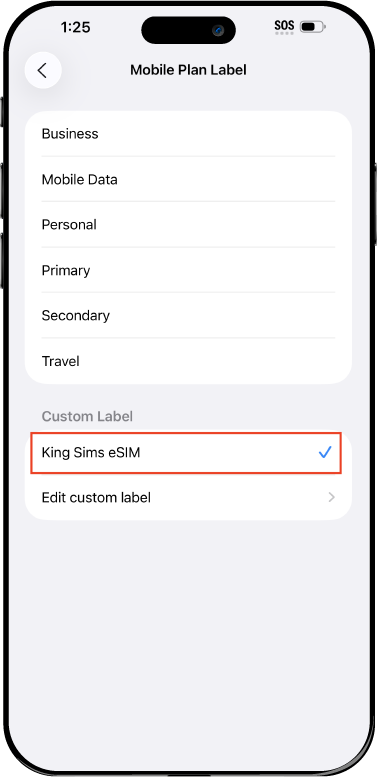
Name Your eSIM ✍️
Once you pass the last step, look for your newly activated eSIM and tap its "Name".

Mobile Plan Label:
Select "Custom Label"
Name it: "King Sims eSIM"

QR Code
Activation Guide

Step-8-iPhone-QR-Code-Activation-Guide

Final Step 👑
Turn on your line ✅

Turn Data Roaming to 'ON'
look for the option titled "Data Roaming"
then Tap 👆the option to turn it 'ON'

For Local eSIM plans with a mobile number, this step is not necessary.

You're Ready To Go 🎉

Step-9-iPhone-QR-Code-Activation-Guide

Welcome to the Kingdom 👑
Once you see the 4G or 5G symbol, test your mobile data.

Once your mobile data starts working without Wi-Fi it means your eSIM has successfully activated

Now you can start travelling with freedom
like a King 🤴 or 👸Queen.

✅ Step 1: Activate Your SIM Card

king-sims-experience.
📅 Add Your Arrival Date:
At checkout, let us know when you're landing in your destination — whether it's 🇺🇸 USA, 🇨🇦 Canada, or 🇲🇽 Mexico. We’ll schedule your SIM for seamless activation.
👑 Have King Sims Ready:
Make sure you have your King Sims packaging ready. It has all you need to get set up.
📲 Swap Your SIM cards:
Once you land, just pop the King Sims card into your phone. Use the "King Pin" in your packaging to swap your SIMs.
🔁 Restart Your Phone:
Give your device a quick restart to kickstart the activation magic.
📩 Get the Welcome Message: Depending on our partnered mobile network and which SIM card you ordered. You’ll get a welcome SMS from the Network with your brand new mobile number — you're officially connected! 🎉
💬 Need Help?
If you see SOS only or no signal, reach out via Live Chat — our support team can sort it in under 5 minutes. 👑
💡 King Tip:
If your King SIM works across multiple countries, don’t forget to turn Data Roaming ON to stay connected in every destination it covers. 🌍📶

Does My Device Have eSIM?

👑 King Tip: If your device isn't listed here simply search google with your phone model to find out if it is 💡

  • iPhone XS
  • iPhone XS Max
  • iPhone 11
  • iPhone 11 Pro
  • iPhone 11 Pro Max
  • iPhone SE (2020)
  • iPhone 12 Mini
  • iPhone 12
  • iPhone 12 Pro
  • iPhone 12 Pro Max
  • iPhone 13 mini
  • iPhone 13
  • iPhone 13 Pro
  • iPhone 13 Pro Max
  • iPhone SE (2022)
  • iPhone 14
  • iPhone 14 Plus
  • iPhone 14 Pro
  • iPhone 14 Pro Max
  • iPhone 15
  • iPhone 15 Plus
  • iPhone 15 Pro
  • iPhone 15 Pro Max
  • iPhone 16 (All Models)
  • iPad Pro (2018 and onwards)
  • iPad Air
  • iPad
  • Watch series 3
  • Watch series 4
  • Watch series 5
  • Watch series 6
  • Watch SE
  • Galaxy Z Flip
  • Galaxy Z Flip 5G
  • Galaxy Z Flip3 5G
  • Galaxy Z Flip4
  • Galaxy Z Flip5
  • Galaxy Fold
  • Galaxy Z Fold2 5G
  • Galaxy Z Fold3 5G
  • Galaxy Z Fold4
  • Galaxy Z Fold5 5G
  • Galaxy S20
  • Galaxy S21
  • Galaxy S21+ 5G
  • Galaxy S21 Ultra 5G
  • Galaxy S22
  • Galaxy S22+
  • Galaxy S22 Ultra
  • Galaxy Note 20 Ultra 5G
  • Galaxy Note 20
  • Galaxy S23
  • Galaxy S23+
  • Galaxy S23 Ultra
  • Galaxy S24
  • Galaxy S24+
  • Galaxy S24 Ultra
  • Galaxy S20 Ultra 5G
  • Gemini PDA
  • Pixel 3
  • Pixel 3a
  • Pixel 4
  • Pixel 4a
  • Pixel 5
  • Pixel 6
  • Pixel 6a
  • Pixel 6 Pro
  • Pixel 7
  • Pixel 7 Pro
  • Pixel 8
  • Pixel 8 Pro
  • P40
  • P40 Pro (not including the P40 Pro +)
  • Mate 40 Pro
  • Razr 2019
  • Razr 5G
  • Motorola Razr 40
  • Motorola Razr 40 Ultra
  • Razr+
  • Edge+
  • Edge 40
  • Edge 40 Pro
  • Edge 40 Neo
  • G52J 5G
  • G52J 5G Ⅱ
  • G53J 5G
  • Find X3 Pro
  • Reno 5 A
  • Find X5
  • Find X5 Pro
  • Reno6 Pro 5G
  • A55s 5G
  • Rakuten Mini
  • Big-S
  • Big
  • Hand
  • Hand 5G
  • Xperia 10 III Lite
  • Xperia 10 IV
  • Xperia 10V
  • Xperia Xperia 1 IV
  • Xperia 5 IV
  • Xperia 1 V
  • Xperia Ace III
  • Xperia 5 V
  • Honor
  • Magic 4 Pro
  • AQUOS Sense6s
  • AQUOS wish
  • AQUOS sense4 lite
  • AQUOS sense 7
  • AQUOS sense 7plus
  • AQUOS wish 2 SHG08
  • AQUOS wish3
  • AQUOS zero 6
  • Simple Sumaho6
  • AQUOS R7
  • AQUOS R8
  • AQUOS R8 Pro
  • V30
  • 12T Pro
  • 13
  • 13 Lite
  • 13 Pro
  • 13T Pro 
  • Honor Magic 4 Pro
  • Honor Magic 5 Pro
  • Honor 90
  • Honor X8
  • Oneplus Open
  • Oneplus 11
  • Oneplus 12 
  • Nokia XR21
  • Nokia X30
  • Nokia G60 5G
  • HAMMER Blade 3
  • HAMMER Explorer PRO
  • HAMMER Blade 5G
  • Vivo X90 Pro
  • Vivo V29 Lite 5G (Europe Only)

First-Timer’s Guide: Staying Online in China & Hong Kong With One eSIM

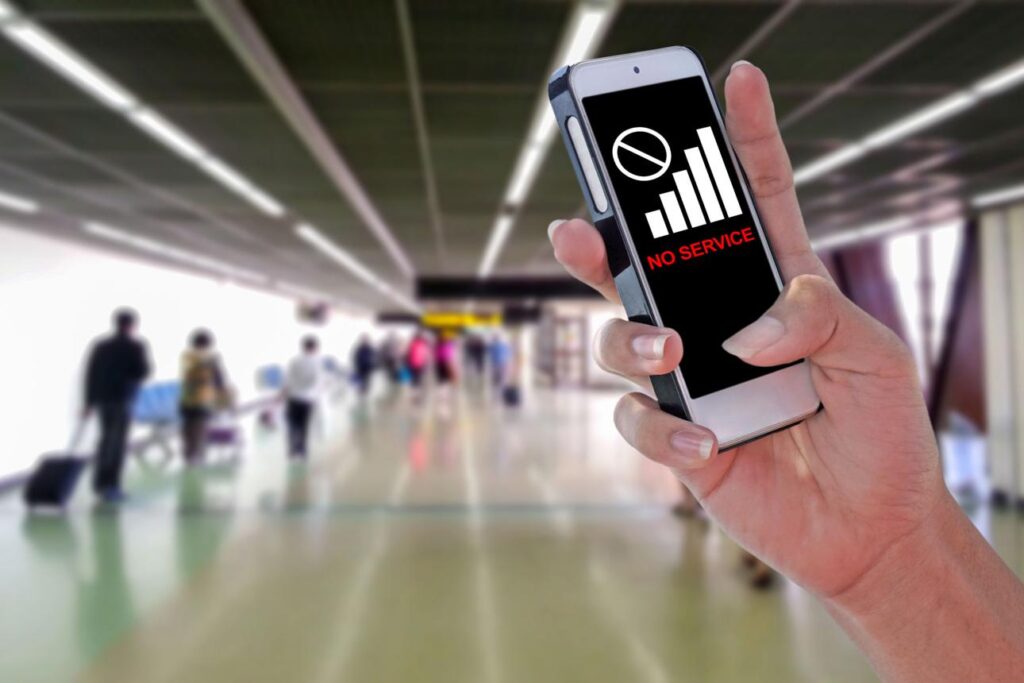
Frustrated traveler with no signal after landing in China Hong Kong travel esim situation

You just landed in China. You’re tired, slightly disoriented, and your phone? Useless. No maps. No ride apps. No way to message your people back home.

Now you’re stuck in a maze of airport SIM kiosks, confusing plans in another language, and prices that feel… suspiciously royal (but not in a good way).

Meanwhile, your home carrier is rubbing its hands together, ready to slap you with $10/day roaming fees. 💸

Not on my watch.

By Royal Decree, there is a better way: the China Hong Kong travel eSIM from King Sims. One setup. One plan. Zero nonsense. You land connected like royalty. 👑

Why Staying Connected in China & Hong Kong Feels Like a Boss Battle 🧠⚔️

First-timers quickly realize this isn’t your average “pop in a SIM card” situation.

Here’s what you’re up against:

  • Airport SIM chaos
    Long lines, unclear pricing, and staff rushing you through decisions.
  • Language barriers
    Trying to understand data limits in Mandarin after a 14-hour flight? Good luck.
  • Different network systems
    China and Hong Kong operate differently—what works in one may not in the other.
  • Blocked apps & restrictions
    Some services behave differently in mainland China. Without proper connectivity, you’re stuck guessing.
  • Spotty hotel Wi-Fi
    “Free Wi-Fi” often means slow, unreliable, or locked behind complicated logins.

Translation: You’re disconnected when you need connection the most.

The King’s Decree: Buy Before You Fly ✈️
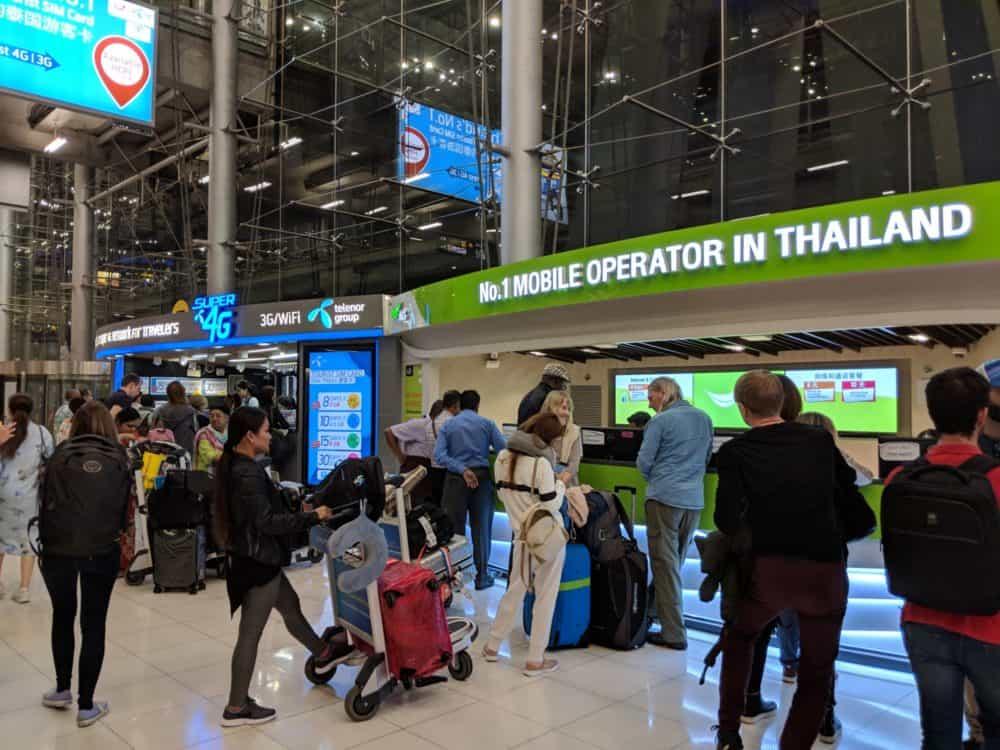
Travelers struggling at airport SIM kiosks in China highlighting need for china hong kong travel esim

Let me make this crystal clear:

Never land in China without a data plan already set up.

This is the golden rule in the Kingdom.

Why? Because the moment you land, you should be able to:

  • 🚖 Order a ride instantly
  • 🗺️ Open maps without delay
  • 💬 Message family or your hotel
  • 📸 Post that “I made it” selfie

And that’s exactly what a china hong kong travel esim from King Sims delivers.

Meet the Royal Solution: One eSIM for China & Hong Kong 👑

No swapping SIM cards. No hunting kiosks. No confusion.

With the China • Hong Kong eSIM from King Sims, you get:

⚡ Instant Activation via the King Sims App

  • Download the app (iOS or Android)
  • Scan your QR code
  • Activate in minutes

No waiting. No stress. Just power.

🌏 Seamless Coverage Across Regions

One plan works across both China and Hong Kong. No switching networks mid-trip.

📶 Premium Networks Only

King Sims partners with top-tier carriers like Orange, SoftBank, and T-Mobile.

Translation:
You’re not getting budget-tier signal. You’re getting royal-grade connectivity.

📞 Real Phone Numbers (on many plans!)

Unlike basic data-only competitors, many King Sims eSIMs include:

  • Calls
  • Text messages
  • A real number

Because sometimes Wi-Fi calling just doesn’t cut it.

💸 Money-Back Guarantee

Didn’t work? Didn’t activate?

You’re protected. That’s how the Kingdom does business.

Step-by-Step: How to Set Up Your China Hong Kong Travel eSIM 🛠️
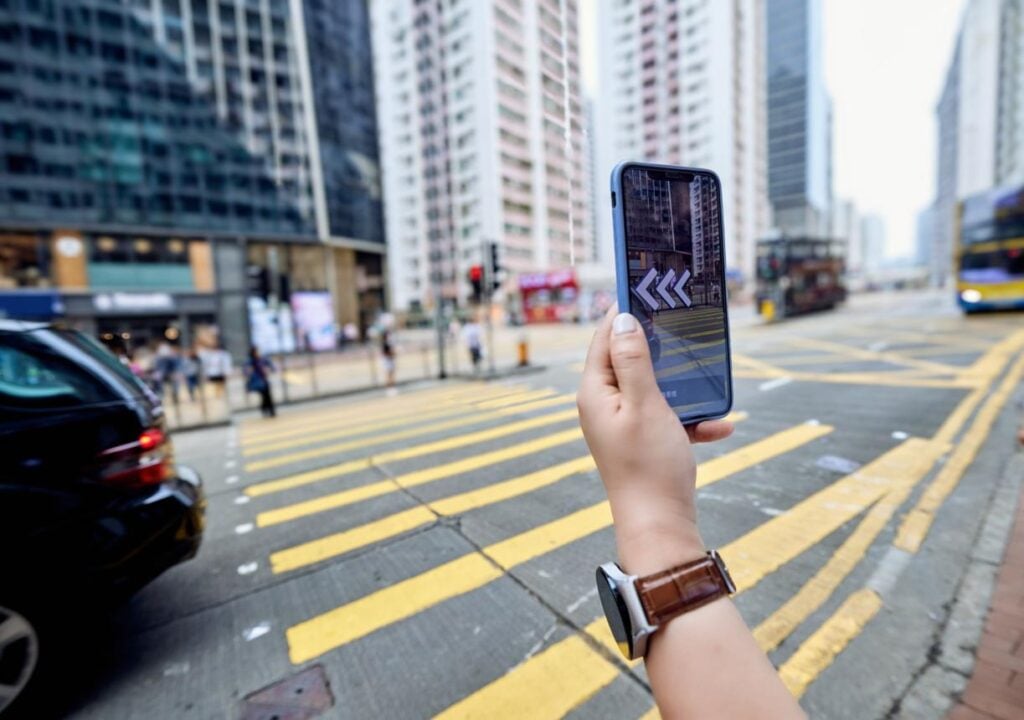
Traveler using maps with china hong kong travel esim for real time navigation in city

Even if you’ve never used an eSIM before, this is easy.

Step 1: Buy Before You Fly

Head to the King Sims store and grab your plan:
👉 https://kingsims.com/product/china-esim/

Step 2: Install via QR Code

  • Open your phone settings
  • Scan the QR code
  • Add the eSIM

Step 3: Activate When You Land

Turn it on as soon as you arrive. Boom—connected.

Step 4: Enjoy Royal Internet Access 👑

No kiosks. No stress. No roaming bills lurking in the shadows.

What You Can Do Instantly When You Land 🚀

This is where the magic hits.

With your china hong kong travel esim, you can:

  • 🚕 Book rides immediately (no wandering airports)
  • 🗺️ Navigate unfamiliar cities confidently
  • 💬 Stay in touch with friends, family, or coworkers
  • 🏨 Contact your hotel or Airbnb host
  • 🍜 Find food spots nearby without guessing

You go from “lost tourist” to “local boss” in seconds.

eSIM vs Airport SIM vs Roaming: The Real Breakdown ⚖️

Travel like a king with china hong kong travel esim premium connectivity experience

Let’s settle this like royalty.

🛑 Roaming (The Villain)

  • $10/day (or worse)
  • Hidden charges
  • Slower speeds

Verdict: The Roaming Racket strikes again. Avoid.

😵 Airport SIM Cards

  • Time-consuming
  • Often overpriced
  • Confusing plans

Verdict: A gamble you don’t need to take.

👑 King Sims eSIM (The Champion)

  • Instant setup
  • Transparent pricing
  • Works across China & Hong Kong
  • No physical SIM required

Verdict: Travel like a King, pay like a pauper.

Common First-Timer Mistakes (Don’t Be That Traveler) 😅

Let’s keep it real—these mistakes happen all the time:

❌ “I’ll just figure it out when I land”

Nope. That’s how you end up offline and frustrated.

❌ “I’ll rely on hotel Wi-Fi”

You mean… slow, unreliable, login-required Wi-Fi? Bold strategy.

❌ “Roaming isn’t that expensive”

Wait until the bill hits. Then we’ll talk. 💀

❌ “I don’t need data right away”

You will. Immediately. Guaranteed.

Why King Sims Hits Different 👑🔥

This isn’t just another SIM provider.

The King Sims Edge:

  • 🏆 Featured by IB Times
  • 📱 Dedicated mobile app
  • 🌍 Global coverage options
  • 📞 Real numbers on many plans
  • 💸 Money-back guarantee
  • 👑 Royal-level customer support

This is about control. Confidence. Convenience.

Not scrambling in an airport like everyone else.

Pro Tips for China & Hong Kong Connectivity 🧠
Travel like a king with china hong kong travel esim premium connectivity experience

Want to move like a pro? Take these:

  • 📲 Download essential apps before arrival
  • 🔋 Keep a power bank (navigation drains battery fast)
  • 🌐 Test your eSIM before departure
  • 📍 Save offline maps just in case

Stack the odds in your favor. That’s how Kings travel.

Final Word: Join the Royal Class 👑

Here’s the truth:

Traveling to China and Hong Kong doesn’t have to feel complicated.

You don’t need to:

  • Stand in lines
  • Decode foreign SIM plans
  • Pay ridiculous roaming fees

You just need the right tool.

👉 A china hong kong travel esim from King Sims.

So next time you land, you’re not confused—you’re connected. Instantly.

By Royal Decree:
Skip the Roaming Racket. Rule your trip.

🎁 Bonus for New Royals:
Sign up today and get 15% OFF your first order.

Welcome to the Kingdom. 🌍👑

0