








Picture this.
You land. You turn on your phone. No signal. Airport Wi-Fi crawling slower than a medieval donkey. Your home carrier smiling somewhere while charging you $10 a day for roaming.
Welcome to the Roaming Racket.
Now imagine this instead:
Plane lands. You switch off airplane mode. Full bars. Maps working. Uber ordered. Life handled.
That, traveler, is the Royal Solution.
If you’ve been asking, what is an eSIM and how does it work, this guide is your golden ticket. No tech jargon. No carrier tricks. Just straight talk from the throne.
Let’s break it down.
👑 What Is an eSIM and How Does It Work?
An eSIM (embedded SIM) is a digital SIM card built directly into your phone.
No plastic.
No swapping trays.
No losing that tiny metal pin tool in the airport.
Instead of inserting a physical SIM card, you:
- Purchase a plan online
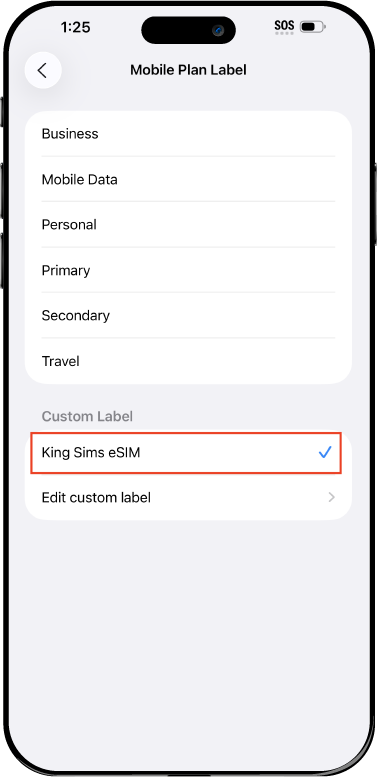
- Receive a QR code or install via app
- Activate instantly
- Connect to local networks abroad
Boom. Connected.
So how does it actually work?
- Your phone already has a programmable SIM chip inside.
- When you buy a plan, you download the carrier profile digitally.
- Your phone connects to local partner networks in your destination.
- You get data — and sometimes calls and texts — without changing SIM cards.
Simple. Clean. Royal.
📱 Is Your Phone Compatible?

Before you join the Kingdom, check your device.
Most newer phones support eSIM, including:
- iPhone XS and newer
- Google Pixel 3 and newer
- Samsung Galaxy S20 and newer
- Many newer Huawei and other flagship models
To check:
- iPhone: Settings → Cellular → Add eSIM
- Android: Settings → Network & Internet → SIMs
If you see “Add eSIM,” you’re golden 👑
🌍 Where Can You Use an eSIM?
Short answer? Almost everywhere worth going.
With kingsims.com, you get coverage in:
- Europe 🇪🇺
- USA 🇺🇸
- Japan 🇯🇵
- Asia 🌏
- Australia 🇦🇺
- Middle East 🌍
- And multi-country global plans
We partner with top-tier networks like:
- Orange
- SoftBank
- T-Mobile
Translation? Strong signal. Real infrastructure. No mystery carriers.
⚔️ The Enemy: Roaming Fees & Airport SIM Traps
Let’s expose the villains.
The $10/Day Roaming Scam
Your home carrier says:
“It’s just $10 per day.”
But stay 14 days?
That’s $140 for slow, capped data.
And if you forget to disable it? Surprise charges.
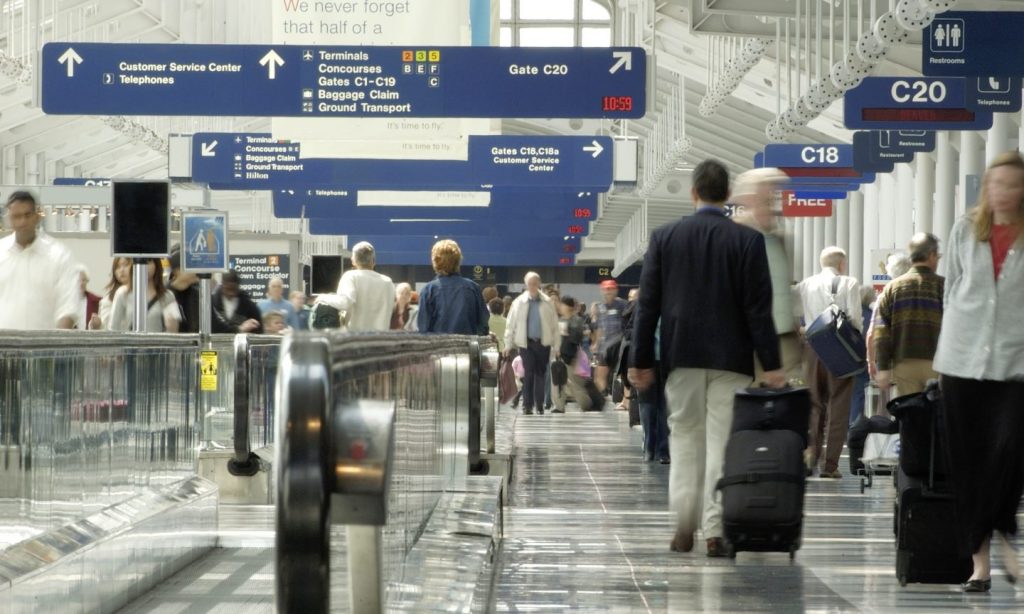
Airport SIM Counters
You land tired. They know it.
- Overpriced tourist plans
- Limited data
- Confusing setup
- Long lines
By Royal Decree: Never buy connectivity at the airport.
🛡️ The King’s Decree: Buy Before You Fly
The smartest move?
Set up your eSIM before departure.
With King Sims:
- Purchase online at kingsims.com
- Install via our iOS or Android App
- Activate in minutes
- Land connected
No kiosks.
No stress.
No roaming drama.
💎 Why King Sims Hits Different
There are many eSIM brands. Let’s talk facts.
1️⃣ Instant Activation via the App
Download the King Sims App.
- Install your plan in minutes
- Manage multiple destinations
- Switch between plans
- Monitor usage
You’re in control — not your carrier.
2️⃣ Real Phone Numbers (Not Just Data)
Here’s where we separate from the crowd.
Many eSIM providers offer data-only plans.
That means:
- No local number
- No calls
- No SMS verification
With many King Sims plans, you get:
- A real phone number
- Call capability
- SMS support
Perfect for:
- Booking restaurants
- Ride-share verification
- Work calls
- Two-factor authentication
You’re not just online. You’re reachable.
3️⃣ Top-Tier Networks Only
We don’t play with weak signals.
Our partnerships include:
- Orange
- SoftBank
- T-Mobile
You connect to major infrastructure — not discount backbones.
4️⃣ Money-Back Guarantee
New to eSIM? Nervous?
Relax.
If something doesn’t work (rare, but hey, tech happens), we offer a Money-Back Guarantee.
That’s Royal confidence.
🧠 Common eSIM Mistakes First-Timers Make
Let’s save you from rookie errors.
❌ Mistake #1: Waiting Until You Land
Wi-Fi might not work. QR emails may not load. Airport chaos begins.
Fix: Install before you leave.
❌ Mistake #2: Not Checking Compatibility
Older phones? Some carrier-locked devices? Trouble.
Fix: Confirm your phone supports eSIM and is unlocked.
❌ Mistake #3: Buying Data-Only When You Need Calls
Remote worker? Long-term traveler?
Data-only might not cut it.
If you need:
- SMS verification codes
- Client calls
- Local reservations
Choose a plan with call capability.
❌ Mistake #4: Turning Off the Wrong SIM
Dual SIM phones can be confusing.
Fix:
- Set your eSIM as the data line
- Turn off home carrier roaming
- Keep primary number for iMessage/WhatsApp if needed
Easy once you know.
💻 Perfect for Remote Workers & Long-Term Travelers

If you’re:
- A digital nomad
- A freelancer hopping continents
- A study abroad student
- A slow traveler
An eSIM is your best ally.
Why?
- No swapping SIMs every country
- No searching for local stores
- No losing contacts
- Seamless transitions between destinations
And with multi-country plans, you cross borders without crossing your fingers.
That’s the power move.
🏰 Data-Only vs Full SIM: Which One Is Right for You?
Let’s keep it simple.
📶 Data-Only eSIM
Best for:
- Short vacations
- Heavy WhatsApp/Zoom users
- Travelers who don’t need local calls
📞 Full SIM (With Calls & Texts)
Best for:
- Business travelers
- Long-term stays
- Anyone needing SMS verification
- Booking local services
King Sims offers both. Choose your weapon wisely.
💬 So… What Is an eSIM and How Does It Work?
Let’s recap the Royal lesson.
An eSIM is:
- Built into your phone
- Activated digitally
- Connected to local networks abroad
- Safer and smarter than roaming
It works by:
- Downloading a carrier profile
- Switching to local infrastructure
- Giving you affordable connectivity
No plastic.
No kiosk traps.
No $10/day nonsense.
👑 The Royal Verdict for 2026
If you’re still asking what is an eSIM and how does it work, the real question is:
Why are you still paying roaming fees?
The world is moving digital. Airports are still running the same tourist trap playbook.
Travel like a King.
Pay like a pauper.
🎁 Join the Royal Class
Ready to ditch roaming forever?
Here’s your move:
- Head to kingsims.com
- Choose your destination
- Install via the App
- Land connected
And when you sign up?
You get 15% off your first order 👑
That’s your entry into the Kingdom.
No roaming racket.
No Wi-Fi gambling.
No bill shock ambush.
Just smooth, global connectivity — the Royal way.
See you on the throne, traveler. 🌍👑