



Shipping & Handling

How To Activate Your eSIM

Countries Covered

What countries your SIM works in

About Your SIM

SIM Features

YOUR SECRET 🤫
KING SIMS APP CODE 🎁

king-sims-experience

Copy your secret 20% off King Sims app code down below. Apply it in your cart or checkout

QR Code
Activation Guide

Step-1-iPhone-QR-code-2x

Open your 'Cellular' or 'Mobile Data' settings.

Tap 👆 "Add eSIM"

QR Code
Activation Guide

Step-2-iPhone-QR-Code-Activation-Guide

You'll be directed to a screen with multiple activation options.
For QR code activation, select the option: "Use QR code"

QR Code
Activation Guide

Step-3-iPhone-QR-Code-Activation-Guide

Position your phone's camera on the QR code we emailed you and found in the King Sims App.

💡King Tip: Travelling with a friend? Simply send your QR code to a friend and scan it off their phone!

QR Code
Activation Guide

Step-4-iPhone-QR-Code-Activation-Guide

Wait a moment for the eSIM to detect the local network.

Once successful, you'll get a message saying:
"Your new eSIM is ready to activate"

👆Tap Continue

QR Code
Activation Guide

Step-5-iPhone-QR-Code-Activation-Guide

Data Only eSIMs:
If your eSIM comes only with data
👆Tap "Data Only"

eSIMs with Calls & Texts:
If your eSIM comes with calls & texts like our other eSIM ranges
👆Tap "Voice and Data"

QR Code
Activation Guide

Step-6-iPhone-QR-Code-Activation-Guide

Wait a moment ⏳
Once you see this notice pop-up, it means your activation has successfully completed.

Last Step:
Once you see this notification, we need to name and finalise your eSIM setup.
👆Tap "Done" When your ready.

QR Code
Activation Guide

Step-7-iPhone-QR-Code-Activation-Guide

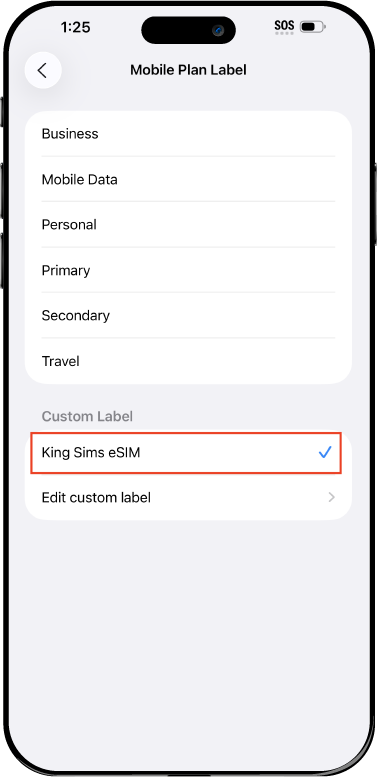
Name Your eSIM ✍️
Once you pass the last step, look for your newly activated eSIM and tap its "Name".

Mobile Plan Label:
Select "Custom Label"
Name it: "King Sims eSIM"

QR Code
Activation Guide

Step-8-iPhone-QR-Code-Activation-Guide

Final Step 👑
Turn on your line ✅

Turn Data Roaming to 'ON'
look for the option titled "Data Roaming"
then Tap 👆the option to turn it 'ON'

For Local eSIM plans with a mobile number, this step is not necessary.

You're Ready To Go 🎉

Step-9-iPhone-QR-Code-Activation-Guide

Welcome to the Kingdom 👑
Once you see the 4G or 5G symbol, test your mobile data.

Once your mobile data starts working without Wi-Fi it means your eSIM has successfully activated

Now you can start travelling with freedom
like a King 🤴 or 👸Queen.

✅ Step 1: Activate Your SIM Card

king-sims-experience.
📅 Add Your Arrival Date:
At checkout, let us know when you're landing in your destination — whether it's 🇺🇸 USA, 🇨🇦 Canada, or 🇲🇽 Mexico. We’ll schedule your SIM for seamless activation.
👑 Have King Sims Ready:
Make sure you have your King Sims packaging ready. It has all you need to get set up.
📲 Swap Your SIM cards:
Once you land, just pop the King Sims card into your phone. Use the "King Pin" in your packaging to swap your SIMs.
🔁 Restart Your Phone:
Give your device a quick restart to kickstart the activation magic.
📩 Get the Welcome Message: Depending on our partnered mobile network and which SIM card you ordered. You’ll get a welcome SMS from the Network with your brand new mobile number — you're officially connected! 🎉
💬 Need Help?
If you see SOS only or no signal, reach out via Live Chat — our support team can sort it in under 5 minutes. 👑
💡 King Tip:
If your King SIM works across multiple countries, don’t forget to turn Data Roaming ON to stay connected in every destination it covers. 🌍📶

Does My Device Have eSIM?

👑 King Tip: If your device isn't listed here simply search google with your phone model to find out if it is 💡

  • iPhone XS
  • iPhone XS Max
  • iPhone 11
  • iPhone 11 Pro
  • iPhone 11 Pro Max
  • iPhone SE (2020)
  • iPhone 12 Mini
  • iPhone 12
  • iPhone 12 Pro
  • iPhone 12 Pro Max
  • iPhone 13 mini
  • iPhone 13
  • iPhone 13 Pro
  • iPhone 13 Pro Max
  • iPhone SE (2022)
  • iPhone 14
  • iPhone 14 Plus
  • iPhone 14 Pro
  • iPhone 14 Pro Max
  • iPhone 15
  • iPhone 15 Plus
  • iPhone 15 Pro
  • iPhone 15 Pro Max
  • iPhone 16 (All Models)
  • iPad Pro (2018 and onwards)
  • iPad Air
  • iPad
  • Watch series 3
  • Watch series 4
  • Watch series 5
  • Watch series 6
  • Watch SE
  • Galaxy Z Flip
  • Galaxy Z Flip 5G
  • Galaxy Z Flip3 5G
  • Galaxy Z Flip4
  • Galaxy Z Flip5
  • Galaxy Fold
  • Galaxy Z Fold2 5G
  • Galaxy Z Fold3 5G
  • Galaxy Z Fold4
  • Galaxy Z Fold5 5G
  • Galaxy S20
  • Galaxy S21
  • Galaxy S21+ 5G
  • Galaxy S21 Ultra 5G
  • Galaxy S22
  • Galaxy S22+
  • Galaxy S22 Ultra
  • Galaxy Note 20 Ultra 5G
  • Galaxy Note 20
  • Galaxy S23
  • Galaxy S23+
  • Galaxy S23 Ultra
  • Galaxy S24
  • Galaxy S24+
  • Galaxy S24 Ultra
  • Galaxy S20 Ultra 5G
  • Gemini PDA
  • Pixel 3
  • Pixel 3a
  • Pixel 4
  • Pixel 4a
  • Pixel 5
  • Pixel 6
  • Pixel 6a
  • Pixel 6 Pro
  • Pixel 7
  • Pixel 7 Pro
  • Pixel 8
  • Pixel 8 Pro
  • P40
  • P40 Pro (not including the P40 Pro +)
  • Mate 40 Pro
  • Razr 2019
  • Razr 5G
  • Motorola Razr 40
  • Motorola Razr 40 Ultra
  • Razr+
  • Edge+
  • Edge 40
  • Edge 40 Pro
  • Edge 40 Neo
  • G52J 5G
  • G52J 5G Ⅱ
  • G53J 5G
  • Find X3 Pro
  • Reno 5 A
  • Find X5
  • Find X5 Pro
  • Reno6 Pro 5G
  • A55s 5G
  • Rakuten Mini
  • Big-S
  • Big
  • Hand
  • Hand 5G
  • Xperia 10 III Lite
  • Xperia 10 IV
  • Xperia 10V
  • Xperia Xperia 1 IV
  • Xperia 5 IV
  • Xperia 1 V
  • Xperia Ace III
  • Xperia 5 V
  • Honor
  • Magic 4 Pro
  • AQUOS Sense6s
  • AQUOS wish
  • AQUOS sense4 lite
  • AQUOS sense 7
  • AQUOS sense 7plus
  • AQUOS wish 2 SHG08
  • AQUOS wish3
  • AQUOS zero 6
  • Simple Sumaho6
  • AQUOS R7
  • AQUOS R8
  • AQUOS R8 Pro
  • V30
  • 12T Pro
  • 13
  • 13 Lite
  • 13 Pro
  • 13T Pro 
  • Honor Magic 4 Pro
  • Honor Magic 5 Pro
  • Honor 90
  • Honor X8
  • Oneplus Open
  • Oneplus 11
  • Oneplus 12 
  • Nokia XR21
  • Nokia X30
  • Nokia G60 5G
  • HAMMER Blade 3
  • HAMMER Explorer PRO
  • HAMMER Blade 5G
  • Vivo X90 Pro
  • Vivo V29 Lite 5G (Europe Only)

Avoid Japan’s Airport SIM Scams – Here’s the Royal Fix 👑

Picture this.

You’ve just landed at Narita International Airport after a 14-hour flight. Your brain is fried. Your stomach wants ramen. Your phone? Dead silent. No data. No maps. No clue how to get to your hotel in Tokyo.

You spot a SIM kiosk. The line is long. The prices? Higher than Mount Fuji.

Welcome to the Roaming Racket.

But fear not. By Royal Decree, I present the only fix you need: a japan esim for tourists — installed before you even board the plane.

Let the King explain.

The Chaos at Japan’s Airport SIM Counters 🎭

Japan is legendary for order. Clean trains. Polite bows. Precision timing.

Airport SIM counters? Different story.

Here’s what typically goes down:

  • ❌ Long queues after international arrivals
  • ❌ Confusing data-only plans
  • ❌ Limited stock of tourist SIMs
  • ❌ High “convenience” markups
  • ❌ Staff rushing you through the decision

You’re jet-lagged. You don’t read Japanese fluently. You just want Google Maps and Uber to work.

That’s when overpriced plans look “good enough.”

They’re not.

The Sneaky Street Seller Situation 🚩
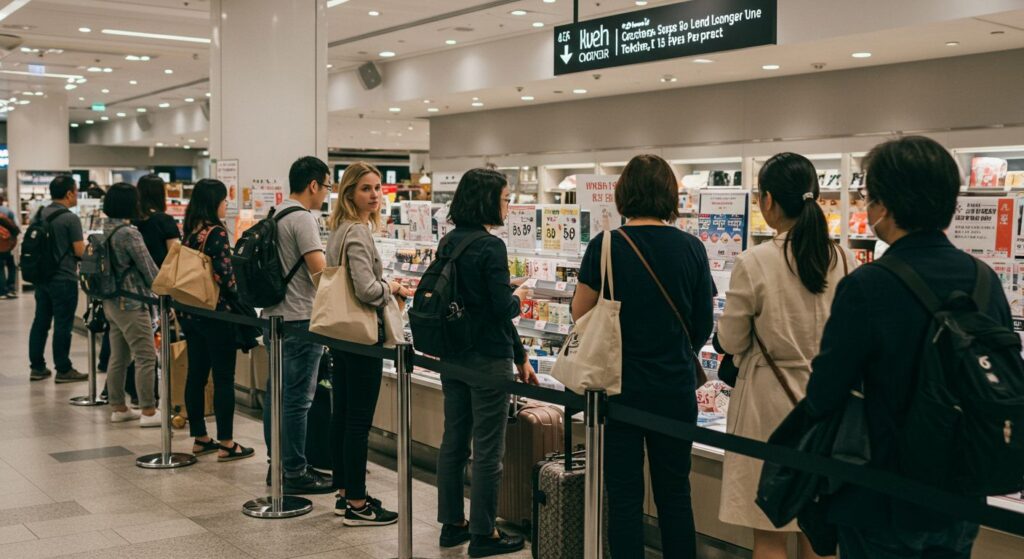
Outside major hubs like Osaka or around tourist-heavy zones near Shibuya Crossing, you might spot third-party sellers advertising “cheap SIMs.”

Here’s the catch:

  • Some are data-only (no local number).
  • Some throttle speeds hard.
  • Some stop working after a few days.
  • Some? Zero customer support.

And once they have your cash… good luck.

The King calls this the “Install & Vanish” move. Not royal behavior.

The Real Villain: Your Home Carrier 💸

Let’s not forget the true enemy:

$10–$15 per day international roaming fees.

That’s $140+ for a two-week trip. For data you’ll burn in three days posting sushi pics and navigating the Tokyo Metro.

Meanwhile, public Wi-Fi?

  • Spotty.
  • Slow.
  • Sometimes insecure.

Trying to rely on café Wi-Fi in Japan is like bringing a wooden sword to a samurai duel. Brave… but unwise.

The King’s Decree: Buy Before You Fly ✈️

Repeat after me:
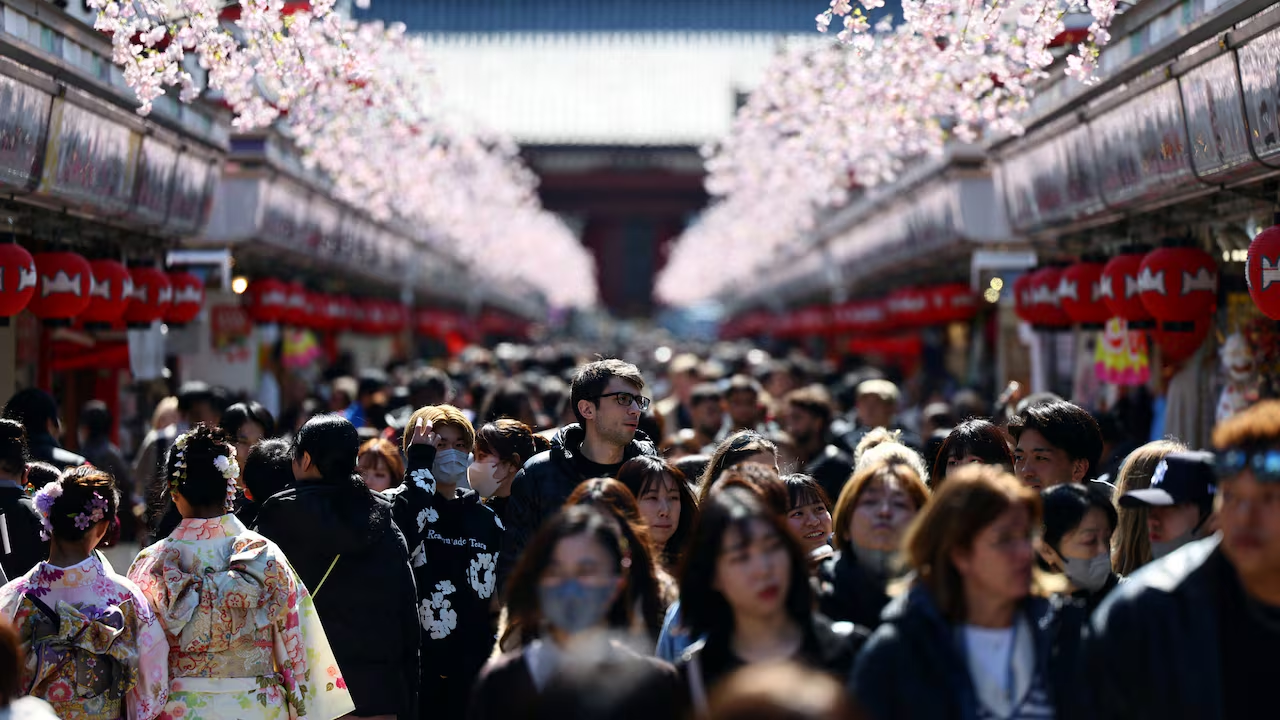
Buy. Before. You. Fly.

This is not a suggestion. This is law in the Kingdom of Smart Travel.

When you secure your japan esim for tourists before departure, you:

  • ✔ Land connected
  • ✔ Skip kiosk lines
  • ✔ Avoid inflated airport pricing
  • ✔ Keep your original SIM safely in place
  • ✔ Start using maps the second wheels touch runway

No scrambling. No panic. No Bill Shock.

Why a Japan eSIM Is the Royal Move 👑

An eSIM is a digital SIM. No plastic. No swapping. No tiny tray pins.

You scan a QR code, and boom — you’re connected.

But not all eSIMs are created equal.

Many competitors offer:

  • Data-only plans
  • No real phone number
  • No calling or texting
  • Weak network priority

That’s peasant-tier travel.

The Royal Fix: King Sims Japan eSIM 👑📱

Now we’re talking power.

When you grab your japan esim for tourists from King Sims, you unlock:

👑 Instant Activation via the App

Download the King Sims App (iOS & Android).
Install your eSIM in minutes.
Activate before departure or right after landing.

No kiosk drama. No physical SIM.

📞 Real Phone Number (On Many Plans)

Unlike many competitors, King Sims offers options that include:

  • A real phone number
  • Calls & texts
  • Not just data

Need to confirm a restaurant reservation in Tokyo?
Call your Airbnb host in Osaka?

You’re covered.

🌍 Top-Tier Networks

We connect you to premium networks like:

  • SoftBank
  • Orange
  • T-Mobile

Translation: fast speeds. Reliable coverage. No sketchy back-alley bandwidth.

💰 Money-Back Guarantee

Not happy? We’ve got you.

That’s confidence. That’s royalty.

What Happens When You Land With King Sims? 🎌

You step off the plane.

Your phone connects instantly.

You:

  • Open Google Maps
  • Book a train on the JR line
  • Message friends
  • Post your “Just Landed 🇯🇵” selfie

All before the airport SIM line moves three steps.

That’s the difference between traveling stressed… and traveling like a King.

Quick Comparison: Airport SIM vs. Royal eSIM

Airport SIM KioskKing Sims Japan eSIM
Long linesInstalled before takeoff
Higher pricesTransparent pricing
Often data-onlyReal number + calls (on many plans)
Limited supportDedicated app + support
Buy after landingBuy before you fly 👑

The math is simple.

Who Is This Perfect For?

A japan esim for tourists is ideal if you:

  • Are visiting Tokyo, Kyoto, Osaka, or beyond
  • Need reliable maps and translation apps
  • Want to avoid roaming fees
  • Don’t want to remove your home SIM
  • Value speed, convenience, and peace of mind

Basically… anyone who respects their wallet.


Don’t Let the Roaming Racket Win 🧾

The Kingdom has seen too many travelers:

  • Overpay at airport kiosks
  • Get stuck with slow data
  • Panic when their SIM stops working
  • Come home to $200 roaming bills

And we say… no more.

You don’t cross oceans to stand in a SIM line.

You go to Japan for:

  • Neon nights
  • Bullet trains
  • Ancient temples
  • Legendary ramen

Not administrative headaches.

The Royal Solution (One Click Away) 👑

Secure your japan esim for tourists right here:
👉 https://kingsims.com/product/japan-esim/

Install it before departure.
Activate instantly via the app.
Enjoy top-tier networks.
Keep your sanity.

And yes — you’re backed by our money-back guarantee.

That’s not hype. That’s Royal Policy.

Final Word from the Throne 👑

The airport SIM chaos? Avoidable.
The roaming fees? Optional.
The stress? Unnecessary.

The King’s Decree stands firm:

Buy before you fly. Travel like a King, pay like a pauper.

Join the Royal Class today and get 15% off your first order when you sign up.

Because in this Kingdom, we don’t bow to roaming villains.

We outsmart them. 💥📱✈️

0