

Shipping & Handling

How To Activate Your eSIM

Countries Covered

What countries your SIM works in

About Your SIM

SIM Features

YOUR SECRET 🤫
KING SIMS APP CODE 🎁

king-sims-experience

Copy your secret 20% off King Sims app code down below. Apply it in your cart or checkout

QR Code
Activation Guide

Step-1-iPhone-QR-code-2x

Open your 'Cellular' or 'Mobile Data' settings.

Tap 👆 "Add eSIM"

QR Code
Activation Guide

Step-2-iPhone-QR-Code-Activation-Guide

You'll be directed to a screen with multiple activation options.
For QR code activation, select the option: "Use QR code"

QR Code
Activation Guide

Step-3-iPhone-QR-Code-Activation-Guide

Position your phone's camera on the QR code we emailed you and found in the King Sims App.

💡King Tip: Travelling with a friend? Simply send your QR code to a friend and scan it off their phone!

QR Code
Activation Guide

Step-4-iPhone-QR-Code-Activation-Guide

Wait a moment for the eSIM to detect the local network.

Once successful, you'll get a message saying:
"Your new eSIM is ready to activate"

👆Tap Continue

QR Code
Activation Guide

Step-5-iPhone-QR-Code-Activation-Guide

Data Only eSIMs:
If your eSIM comes only with data
👆Tap "Data Only"

eSIMs with Calls & Texts:
If your eSIM comes with calls & texts like our other eSIM ranges
👆Tap "Voice and Data"

QR Code
Activation Guide

Step-6-iPhone-QR-Code-Activation-Guide

Wait a moment ⏳
Once you see this notice pop-up, it means your activation has successfully completed.

Last Step:
Once you see this notification, we need to name and finalise your eSIM setup.
👆Tap "Done" When your ready.

QR Code
Activation Guide

Step-7-iPhone-QR-Code-Activation-Guide

Name Your eSIM ✍️
Once you pass the last step, look for your newly activated eSIM and tap its "Name".

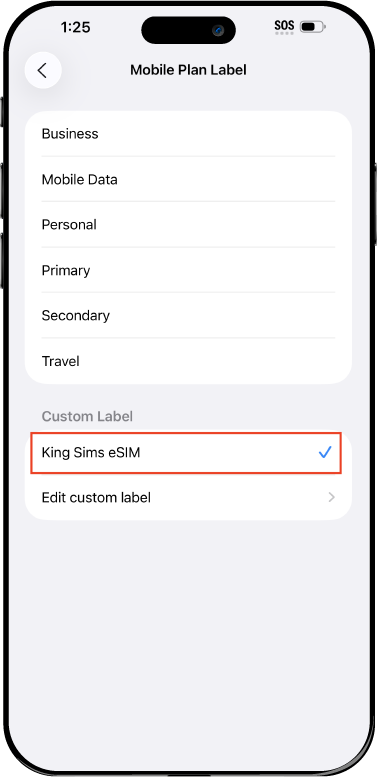
Mobile Plan Label:
Select "Custom Label"
Name it: "King Sims eSIM"

QR Code
Activation Guide

Step-8-iPhone-QR-Code-Activation-Guide

Final Step 👑
Turn on your line ✅

Turn Data Roaming to 'ON'
look for the option titled "Data Roaming"
then Tap 👆the option to turn it 'ON'

For Local eSIM plans with a mobile number, this step is not necessary.

You're Ready To Go 🎉

Step-9-iPhone-QR-Code-Activation-Guide

Welcome to the Kingdom 👑
Once you see the 4G or 5G symbol, test your mobile data.

Once your mobile data starts working without Wi-Fi it means your eSIM has successfully activated

Now you can start travelling with freedom
like a King 🤴 or 👸Queen.

✅ Step 1: Activate Your SIM Card

king-sims-experience.
📅 Add Your Arrival Date:
At checkout, let us know when you're landing in your destination — whether it's 🇺🇸 USA, 🇨🇦 Canada, or 🇲🇽 Mexico. We’ll schedule your SIM for seamless activation.
👑 Have King Sims Ready:
Make sure you have your King Sims packaging ready. It has all you need to get set up.
📲 Swap Your SIM cards:
Once you land, just pop the King Sims card into your phone. Use the "King Pin" in your packaging to swap your SIMs.
🔁 Restart Your Phone:
Give your device a quick restart to kickstart the activation magic.
📩 Get the Welcome Message: Depending on our partnered mobile network and which SIM card you ordered. You’ll get a welcome SMS from the Network with your brand new mobile number — you're officially connected! 🎉
💬 Need Help?
If you see SOS only or no signal, reach out via Live Chat — our support team can sort it in under 5 minutes. 👑
💡 King Tip:
If your King SIM works across multiple countries, don’t forget to turn Data Roaming ON to stay connected in every destination it covers. 🌍📶

Does My Device Have eSIM?

👑 King Tip: If your device isn't listed here simply search google with your phone model to find out if it is 💡

  • iPhone XS
  • iPhone XS Max
  • iPhone 11
  • iPhone 11 Pro
  • iPhone 11 Pro Max
  • iPhone SE (2020)
  • iPhone 12 Mini
  • iPhone 12
  • iPhone 12 Pro
  • iPhone 12 Pro Max
  • iPhone 13 mini
  • iPhone 13
  • iPhone 13 Pro
  • iPhone 13 Pro Max
  • iPhone SE (2022)
  • iPhone 14
  • iPhone 14 Plus
  • iPhone 14 Pro
  • iPhone 14 Pro Max
  • iPhone 15
  • iPhone 15 Plus
  • iPhone 15 Pro
  • iPhone 15 Pro Max
  • iPhone 16 (All Models)
  • iPad Pro (2018 and onwards)
  • iPad Air
  • iPad
  • Watch series 3
  • Watch series 4
  • Watch series 5
  • Watch series 6
  • Watch SE
  • Galaxy Z Flip
  • Galaxy Z Flip 5G
  • Galaxy Z Flip3 5G
  • Galaxy Z Flip4
  • Galaxy Z Flip5
  • Galaxy Fold
  • Galaxy Z Fold2 5G
  • Galaxy Z Fold3 5G
  • Galaxy Z Fold4
  • Galaxy Z Fold5 5G
  • Galaxy S20
  • Galaxy S21
  • Galaxy S21+ 5G
  • Galaxy S21 Ultra 5G
  • Galaxy S22
  • Galaxy S22+
  • Galaxy S22 Ultra
  • Galaxy Note 20 Ultra 5G
  • Galaxy Note 20
  • Galaxy S23
  • Galaxy S23+
  • Galaxy S23 Ultra
  • Galaxy S24
  • Galaxy S24+
  • Galaxy S24 Ultra
  • Galaxy S20 Ultra 5G
  • Gemini PDA
  • Pixel 3
  • Pixel 3a
  • Pixel 4
  • Pixel 4a
  • Pixel 5
  • Pixel 6
  • Pixel 6a
  • Pixel 6 Pro
  • Pixel 7
  • Pixel 7 Pro
  • Pixel 8
  • Pixel 8 Pro
  • P40
  • P40 Pro (not including the P40 Pro +)
  • Mate 40 Pro
  • Razr 2019
  • Razr 5G
  • Motorola Razr 40
  • Motorola Razr 40 Ultra
  • Razr+
  • Edge+
  • Edge 40
  • Edge 40 Pro
  • Edge 40 Neo
  • G52J 5G
  • G52J 5G Ⅱ
  • G53J 5G
  • Find X3 Pro
  • Reno 5 A
  • Find X5
  • Find X5 Pro
  • Reno6 Pro 5G
  • A55s 5G
  • Rakuten Mini
  • Big-S
  • Big
  • Hand
  • Hand 5G
  • Xperia 10 III Lite
  • Xperia 10 IV
  • Xperia 10V
  • Xperia Xperia 1 IV
  • Xperia 5 IV
  • Xperia 1 V
  • Xperia Ace III
  • Xperia 5 V
  • Honor
  • Magic 4 Pro
  • AQUOS Sense6s
  • AQUOS wish
  • AQUOS sense4 lite
  • AQUOS sense 7
  • AQUOS sense 7plus
  • AQUOS wish 2 SHG08
  • AQUOS wish3
  • AQUOS zero 6
  • Simple Sumaho6
  • AQUOS R7
  • AQUOS R8
  • AQUOS R8 Pro
  • V30
  • 12T Pro
  • 13
  • 13 Lite
  • 13 Pro
  • 13T Pro 
  • Honor Magic 4 Pro
  • Honor Magic 5 Pro
  • Honor 90
  • Honor X8
  • Oneplus Open
  • Oneplus 11
  • Oneplus 12 
  • Nokia XR21
  • Nokia X30
  • Nokia G60 5G
  • HAMMER Blade 3
  • HAMMER Explorer PRO
  • HAMMER Blade 5G
  • Vivo X90 Pro
  • Vivo V29 Lite 5G (Europe Only)

🌙 Solo in Tokyo: Night Trains, Late-Night Ramen & Staying Reachable 🍜🚄

👤📱 A Solo Traveler’s Guide to Staying Connected (and Confident)

You step out into Tokyo at night.

Neon lights.
Quiet streets.
The hum of vending machines and distant trains.

It’s magical ✨… until your phone says:

“No Service.”

Suddenly:

  • You can’t check directions 🗺️
  • You can’t translate menus 🍥
  • You can’t message family back home 💬

And that confidence? It fades fast.

Welcome to the moment where most solo travelers realize:
Connectivity isn’t optional. It’s safety.

👑 The Royal Solution:
Japan eSIM with unlimited data — always on, always ready, always watching your back.

Solo traveler exploring Tokyo at night with eSIM connectivity

🌃 Why Tokyo Is Perfect for Solo Travel (But Still Demands Data)

Tokyo is one of the safest cities in the world.
Clean. Organized. Respectful.

But it’s also:

  • Massive 🏙️
  • Complex 🚉
  • Fast-moving ⚡

Especially at night, when:

  • Trains change schedules
  • Streets feel unfamiliar
  • You rely on your phone for everything

The King’s Decree 👑

Confidence in a foreign city comes from one thing:

👉 Being connected at all times.

📶 The Power of Always-On Data for Solo Travelers
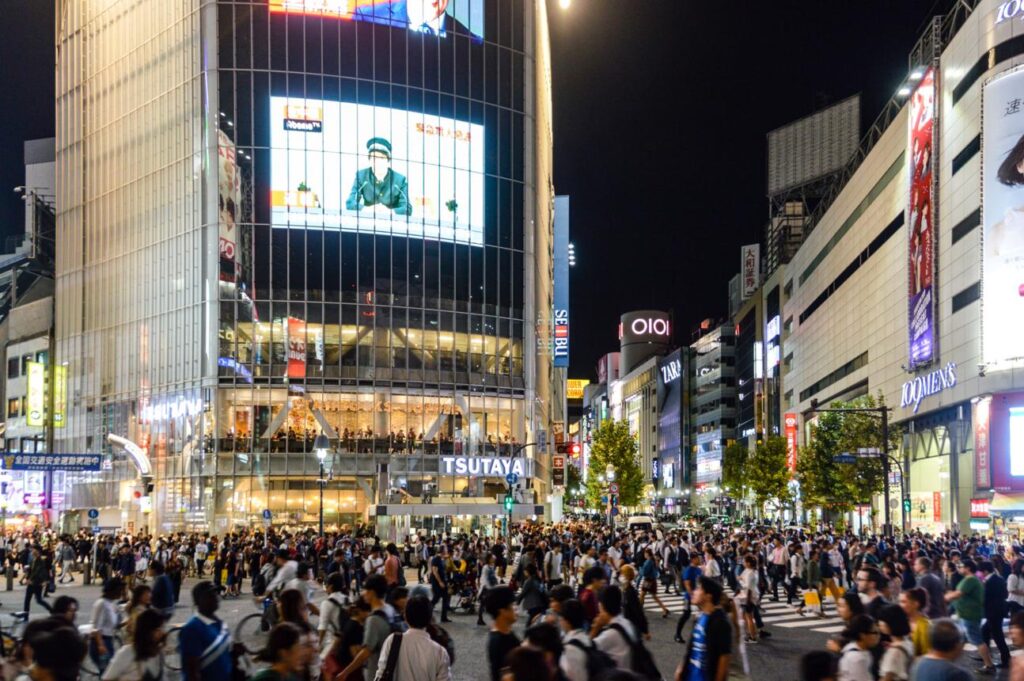
Tokyo night train travel with mobile data and eSIM navigation

Let’s break it down.

🗺️ 1. Maps = Your Lifeline

Tokyo’s train system is legendary… and confusing.

With unlimited data, you can:

  • Navigate stations like Shinjuku (a maze 🌀)
  • Track last trains home 🚄
  • Walk safely with real-time directions

No signal = no plan.

🍜 2. Translation Apps Save the Day

Late-night ramen hits different in Tokyo.

But menus? Not always English-friendly.

With data:

  • Instantly translate menus 📲
  • Order confidently
  • Avoid mystery dishes (unless you want adventure 😅)

🚕 3. Taxi & Ride Apps = Safe Exit Strategy

Missed the last train? It happens.

With an eSIM:

  • Book taxis instantly 🚕
  • Share your ride with friends
  • Get home safely, no stress

💬 4. Staying Reachable = Peace of Mind

For solo travelers (especially women), this matters.

You can:

  • Share your location with family 📍
  • Send quick check-ins
  • Stay reachable anytime

That feeling? Priceless.

💀 The Enemy: Roaming Fees & Dead Wi-Fi
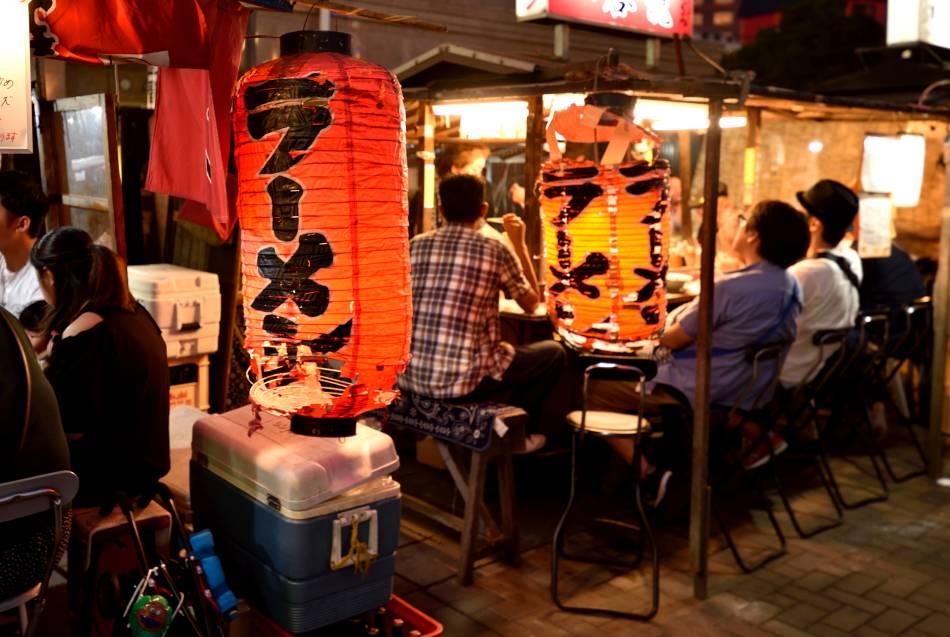
Late night ramen in Tokyo for solo traveler using mobile data

Let’s expose the villains.

❌ Roaming Fees

  • $10/day just to exist online 💸
  • Slow speeds
  • Massive bills waiting at home

❌ Public Wi-Fi

  • Unreliable
  • Often locked
  • Not safe for personal use 🔐

👑 The Kingdom rejects both.

👑 Enter the Hero: King Sims Japan eSIM 🇯🇵📱

This is where things change.

👉 https://kingsims.com/product/japan-esim/

Why It’s Built for Solo Travelers

  • ✅ Unlimited data (no limits, no stress)
  • ✅ 5G SoftBank network (fast + reliable)
  • ✅ Instant delivery (no shipping delays)
  • ✅ Activation via QR or King Sims App
  • ✅ Money-Back Guarantee 👑
  • ✅ Optional real phone number + calls/texts

This isn’t just convenience.
This is confidence in your pocket.

⚡ Instant Activation (Even Half-Asleep at the Airport)

After a long flight, you don’t want complexity.

Setup in 3 Steps:

  1. Buy your eSIM before you fly ✈️
  2. Scan the QR code 📲
  3. Activate on arrival

Done.

No:

  • SIM swapping
  • Airport queues
  • Confusion

👑 Buy before you fly. Always.

🌙 Exploring Tokyo at Night (With Confidence)

Now the fun part.

With unlimited data, Tokyo opens up.

🎌 Night Adventures You Can Actually Enjoy:

  • Wandering Shibuya Crossing 🌆
  • Late-night ramen in Shinjuku 🍜
  • Quiet walks through Asakusa temples 🏯
  • Exploring hidden alleyways safely

Because you’re not guessing.

You’re connected.

👩 Solo Travel Safety Tips (From the King)
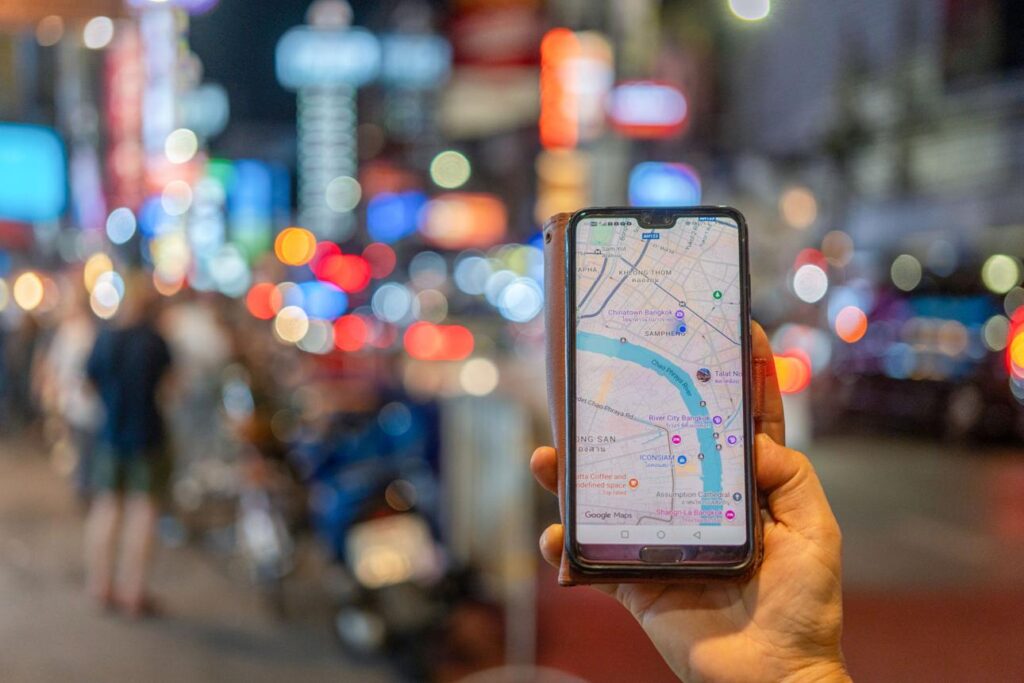
Using Google Maps in Tokyo with Japan eSIM for navigation

Let’s keep it real.

Tokyo is safe—but smart travelers stay prepared.

👑 King Tips:

  • Always have data active 📶
  • Share your location with someone you trust 📍
  • Screenshot your hotel address 🏨
  • Use maps instead of wandering blindly
  • Trust your instincts

Connectivity = control.

🆚 eSIM vs Pocket Wi-Fi (Quick Reality Check)

Some travelers still rent Pocket Wi-Fi.

Let’s be honest.

Pocket Wi-Fi:

  • ❌ Another device to carry
  • ❌ Needs charging
  • ❌ Can be lost
  • ❌ Shared connection = slower speeds

King Sims eSIM:

  • ✅ Built into your phone
  • ✅ Always on
  • ✅ No extra gear
  • ✅ Faster, simpler, smarter

👑 The King travels light.

💡 What Makes King Sims Different?

Other eSIM providers:

  • Data only
  • No phone numbers
  • Weak networks

King Sims:

  • Real numbers (on select plans) 📞
  • Calls + texts
  • Top networks like SoftBank, Orange, T-Mobile
  • Verified by International Business Times
  • Dedicated mobile app 📲

This is not basic travel tech.
This is premium connectivity.

🧳 Who This Is Perfect For

  • 👩 Solo female travelers
  • 🎒 First-time Japan explorers
  • 📸 Content creators
  • 💻 Digital nomads
  • 🌙 Night wanderers

If you value independence, this is essential.

🏁 Final Decree: Travel Solo, Never Disconnected 👑
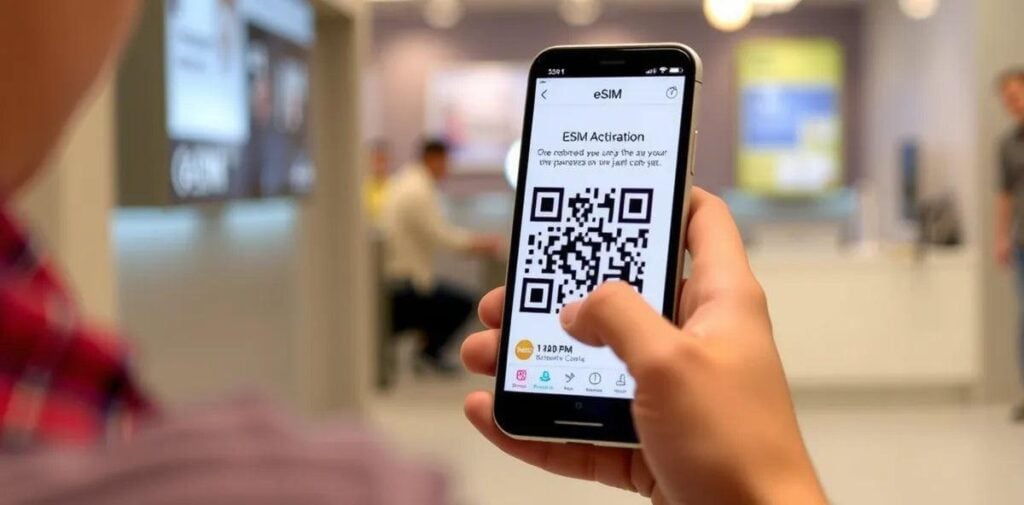
Scanning QR code to activate Japan eSIM instantly on smartphone

Tokyo at night is something special.

But the real luxury?

👉 Feeling safe
👉 Feeling confident
👉 Knowing you’re always reachable

With a King Sims Japan eSIM, you don’t just explore…

You explore like royalty.

👑 Join the Royal Class

  • ⚡ Instant activation
  • 📶 Unlimited data
  • 🛡️ Money-back guarantee
  • 💸 15% OFF your first order

👉 Get connected before you land:
https://kingsims.com/product/japan-esim/

Travel solo.
Stay connected.
Rule Tokyo. 👑🌙📱

If you want next, I can:

  • 📸 Create image packs with SEO alt text
  • ✂️ Turn this into short-form TikTok scripts
  • 🧠 Add internal linking strategy

Just say the word, Your Majesty 👑

0